

Buusti Mobile – Gaming from Your Phone or Tablet
















Where mobile fits into the picture
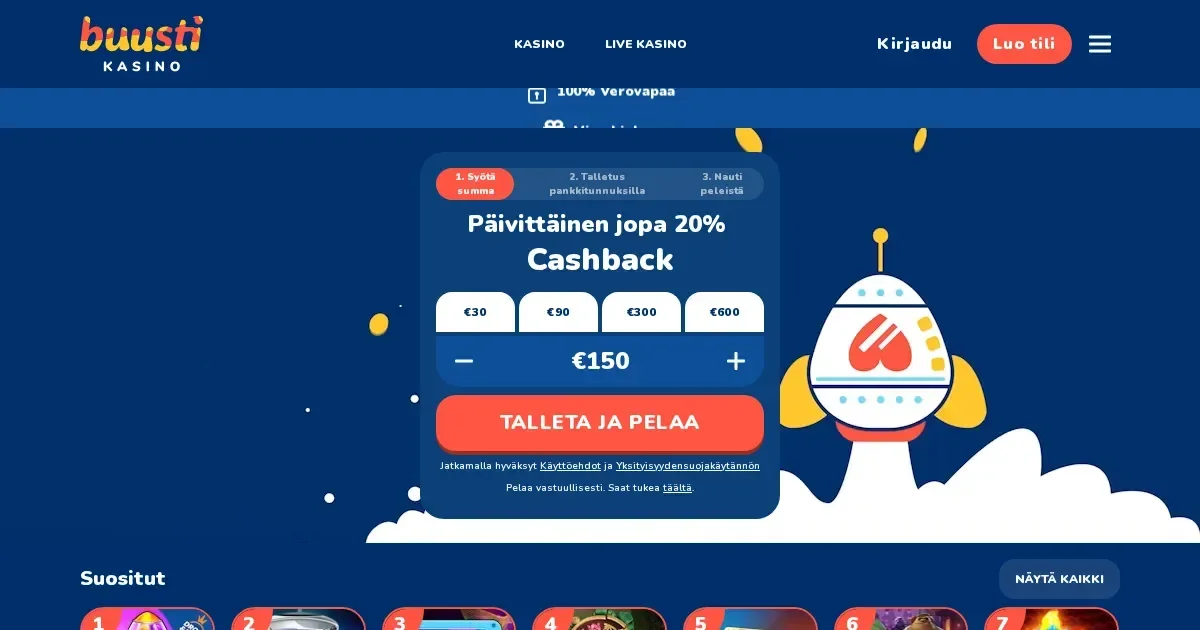
Buusti runs entirely in the mobile browser, meaning you reach the platform the same way you would on a desktop – by navigating to the operator's site and logging in with your bank credentials. There is no native app to download from the App Store or Google Play, and no APK file to install. What you get instead is a responsive site that adjusts to smaller screens, keeping the core features – slots, live dealer tables, the cashier, support – accessible from a phone or tablet.
The Pay N Play model survives the transition: you deposit using your bank credentials, the account is created automatically, and you start playing within minutes. The same authentication method that works on desktop works here, which means no separate mobile registration flow and no need to remember a password.
The honest answer on apps
Buusti does not publish a dedicated mobile application. What the operator provides is a browser-based platform optimised for mobile devices – iOS, Android, or any system with a modern browser. You visit the site, authenticate with your bank, and the interface adapts to the screen size.
This approach keeps the access route simple: one site, one login method, and the same account balance across every device you use. The tradeoff is that you do not get an icon on your home screen unless you bookmark the page manually, and you do not get the offline-first experience a native app sometimes offers.
The browser route in practice
Accessing the platform from a phone follows three steps:
- Open your mobile browser – Safari, Chrome, Firefox or Edge – and navigate to the operator's web address.
- Tap the login option and authenticate using your bank credentials, exactly as you would on a computer.
- Once authenticated, you land in the lobby with full access to games, the cashier, your transaction history and support channels.
The session stays active as long as the browser tab remains open, but closing the tab or switching apps may log you out depending on your browser's memory management. Signing back in takes seconds – the Pay N Play model means no username or password to re-enter, just another authentication through your bank.
Features that survive the small screen
The mobile site carries most of what the desktop version does. You can browse the full game library, filter by category – video slots, table games, live dealer – and launch titles directly in the browser. Games from providers like Pragmatic Play, Play'n Go and Push Gaming load within the same tab, and the controls adapt to touch input.
The cashier works the same way: deposit using bank credentials, request a withdrawal through the same interface, and check your transaction history without leaving the mobile view. The operator states that withdrawals are processed immediately and should appear in the account within a few minutes, and this timing applies to mobile requests as well as desktop ones.
Live chat and email support are accessible from the mobile menu, and the responsible gambling tools – deposit limits, loss limits, session management, time out and self-exclusion – can be set or adjusted from a phone. The settings do not require desktop access to take effect.
Where mobile is worse than desktop
Screen real estate matters. A live dealer table with multiple camera angles, a chat window and betting controls feels cramped on a phone, and some players find it easier to follow the action on a larger display. Slots translate better – simpler layouts, fewer simultaneous elements – but games with dense paytables or feature-heavy bonus rounds can feel harder to navigate on a 6-inch screen.
Typing is slower on a touchscreen keyboard, which affects support inquiries and any form-based interaction. Verification uploads – photographing an ID or utility bill and submitting it through the mobile interface – work, but the process is more fiddly than doing the same task on a computer with a proper file manager.
Battery drain is real. An hour of live dealer play or high-frame-rate slots will pull your charge down faster than passive browsing, and if your connection drops mid-game, the operator's disconnection policy applies: the game attempts to resume from the same point upon reconnection, and unsettled bets are refunded to the account if reconnection is not possible.
A short checklist
Before playing from a mobile device, a few practical checks help avoid frustration:
- Connection quality: A stable Wi-Fi or 4G/5G signal keeps games running smoothly. Patchy mobile data can cause disconnections, especially in live dealer sessions where the video feed demands consistent bandwidth.
- The operator's own address: Bookmark the site or double-check the URL before logging in. Phishing sites targeting mobile users are common, and a mistyped address can land you somewhere you do not want to be.
- Signing out on a shared device: If you play on a tablet or phone that other people use, log out when you finish. The Pay N Play model links your bank credentials directly to the account, so an open session on a shared device is an open account.
- Limits set before the session: The operator's deposit and loss limits can be adjusted from the mobile interface, but setting them before you start playing is easier than doing it mid-session when you are already focused on a game.
Responsible gambling – keeping control on a device you always carry
A phone is with you all the time, which makes it the easiest way to play – and the easiest way to play more than you planned. The operator provides deposit limits, loss limits, session management tools, time out options and self-exclusion, all accessible from the mobile interface. Use them.
18+ – this platform is restricted to adults. If you share a device with someone under 18, consider parental-control software such as Net Nanny or Qustodio to block access. Gambling should be entertainment, not something that eats into money you need for other things.
Free, confidential support is available through GamCare – call the National Gambling Helpline on 0808 8020 133 (24/7, free from UK landlines and mobiles) – and BeGambleAware. For self-exclusion across all UK-licensed operators, visit GamStop. Blocking software like Gamban and BetBlocker can prevent access to gambling sites on your device if you need a firmer boundary.
This page is for information and marketing purposes only. We are not a casino operator, a bookmaker or an organiser of gambling. Access to this content is restricted to persons aged 18 and over (18+). Free, confidential support with gambling is available at BeGambleAware.org.
Frequently asked questions
Does Buusti have a mobile app I can download?
No. Buusti operates as a browser-based platform, meaning you access it through Safari, Chrome or any mobile browser rather than a dedicated app from the App Store or Google Play.
Can I deposit and withdraw from my phone?
Yes. The cashier works the same way on mobile as it does on desktop – deposit using your bank credentials and request withdrawals through the same interface. The operator states withdrawals are processed immediately and should appear within a few minutes.
Are all games available on mobile?
The mobile site carries the full game library, including video slots, table games and live dealer sessions. Games load directly in the browser, and controls adapt to touch input.
What happens if my connection drops during a game?
The operator attempts to resume the game from the same point when you reconnect. If reconnection is not possible, unsettled bets are refunded to your account.
Game Providers